
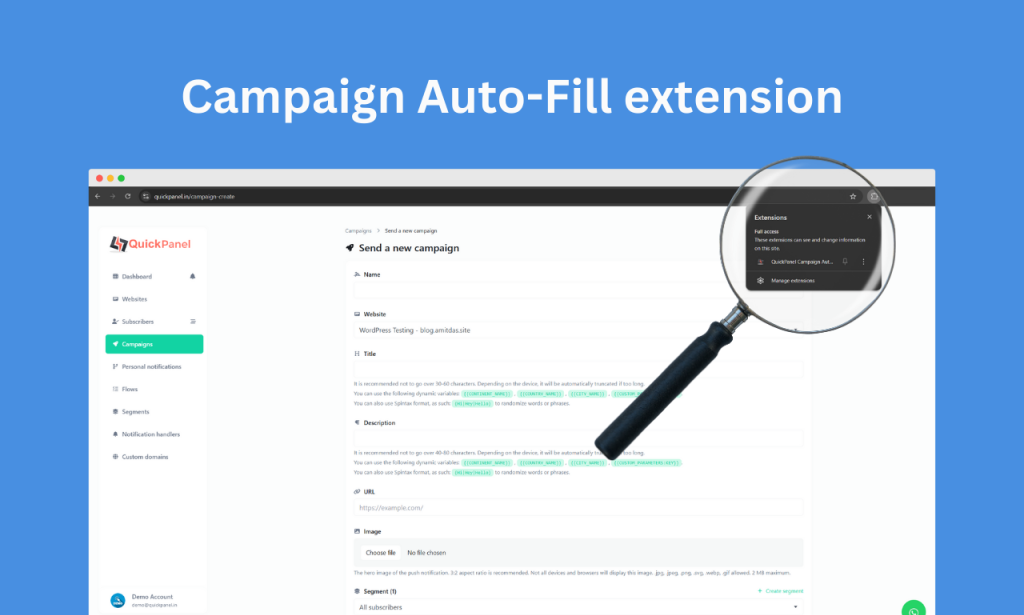
We have exciting news for marketers, business owners, and campaign managers! The highly anticipated QuickPanel Campaign Auto-Fill Extension is now officially available on both the Chrome Web Store and Firefox Add-ons Store.
This innovative browser extension promises to revolutionize how campaigns are created by automating the process of filling out campaign forms. Say goodbye to tedious manual entries and hello to a streamlined, efficient workflow.
What Makes QuickPanel Campaign Auto-Fill a Game-Changer?
Imagine this: You’re creating a new campaign on QuickPanel. Instead of painstakingly copying and pasting the title and description from a webpage, the QuickPanel Campaign Auto-Fill Extension does it all for you—instantly.
Here’s what makes it so powerful:
Key Features:
- Auto-Fetch URL Content: Quickly retrieves the title and description of any webpage.
- Seamless Integration: Automatically fills in the campaign form fields on QuickPanel.
- Cross-Browser Availability: Compatible with both Chrome and Firefox browsers.
- Saves Time: Cuts down manual effort, allowing you to focus on strategy and execution.
How to Get Started
The QuickPanel Campaign Auto-Fill Extension is free to install and easy to use. Follow the steps below to start enjoying its benefits today!
Installing on Chrome:
1. Visit the Chrome Web Store.
2. Click Add to Chrome and confirm the installation.
3. Once installed, the extension icon will appear in your browser toolbar.
Installing on Firefox:
1. Head over to the Firefox Add-ons Store.
2. Click Add to Firefox and follow the prompts to install.
3. After installation, the extension icon will appear in your toolbar.
How to Use the QuickPanel Campaign Auto-Fill Extension
Using the extension is as simple as it gets!
1. Open the Extension: Click on the QuickPanel Campaign Auto-Fill icon in your browser toolbar.
2. Enter the URL: In the popup interface, type or paste the URL of the webpage whose content you want to use.
3. Fetch Content: Hit the Fetch button. The extension will instantly retrieve the webpage’s title and description.
4. Auto-Fill Campaign Form: With the QuickPanel Campaign creation form open, the extension automatically fills in the fetched title and description.
5. Review and Submit: Customize the details if needed, then submit your campaign!
Why This Launch Is a Big Deal
Marketers know that every second counts. Whether you’re launching a new campaign or managing multiple projects, minimizing repetitive tasks can significantly boost your productivity. The QuickPanel Campaign Auto-Fill Extension does just that.
By automating the process of filling out campaign forms, this tool allows you to focus on what truly matters: creating compelling campaigns and driving results.
Join the Revolution: Install Now
Don’t miss out on this game-changing extension. It’s free, it’s powerful, and it’s designed to make your life easier. Download it today and start transforming the way you create campaigns:
- Install on Chrome
- Install on Firefox
Experience the future of campaign creation with the QuickPanel Campaign Auto-Fill Extension. Start saving time and working smarter today!

You must be logged in to post a comment.