
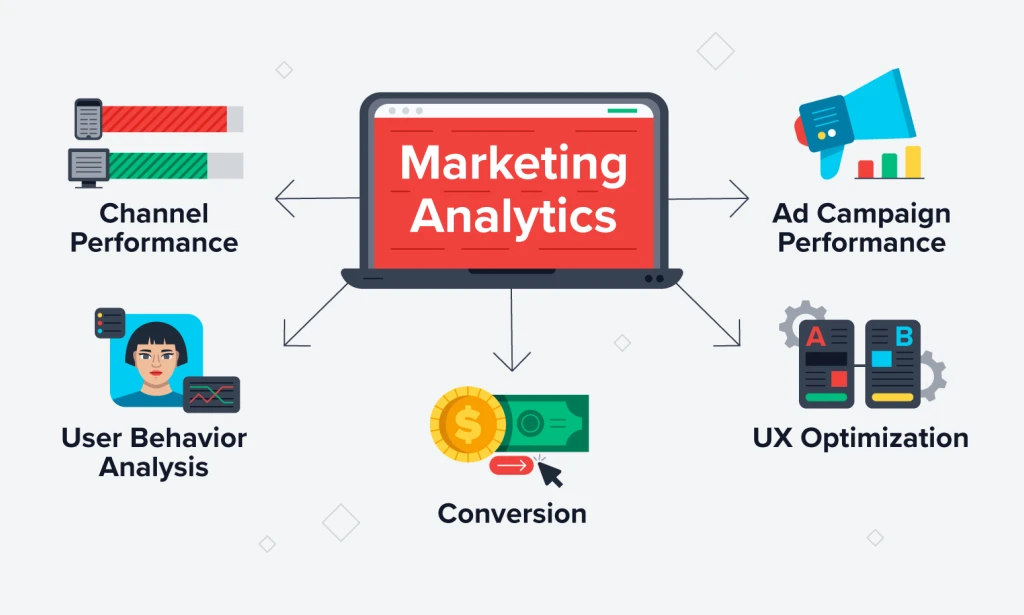
The digital world thrives on data, and understanding your audience is key to building a successful marketing strategy. With the launch of QuickPanel’s new analytics platform, you now have access to advanced tools that not only provide actionable insights but also respect user privacy.
According to QuickPanel CEO Amit Das, “This feature bridges the gap between data and decision-making, empowering businesses to refine their strategies with clear, actionable insights.”
The Power of Analytics
Understanding user behavior is essential for optimizing campaigns and improving engagement. QuickPanel Analytics brings clarity to the process, enabling businesses to:
- Understand Visitor Behavior: See anonymized data on how visitors interact with your website.
- Enhance Campaign Success: Use detailed insights to optimize push notifications and marketing efforts.
- Identify Pain Points: Visualize areas of improvement through heatmaps and session recordings.
Explore the Key Features of QuickPanel Analytics
QuickPanel’s platform comes packed with features designed to provide a holistic view of your website's performance:
- Visitor History: Access anonymized histories of your visitors to understand engagement patterns.
- User Journey Analysis: Follow the entire journey of a user, from entry to exit, and pinpoint areas for improvement.
- Real-Time Analytics: Monitor live visitor activity, including locations, devices, and the pages they access.
- Privacy-Friendly Heatmaps: See where visitors click on your website, with device-specific segmentation for Desktop, Tablet, and Mobile.
- Session Recording and Replay: Watch replay videos of user sessions to see how they navigate your site. This feature provides a visual representation of interactions, complete with automatic privacy masking for sensitive information.
- Goal Tracking: Set up custom goals to monitor conversions and assess the success of your campaigns.
- Custom Domains and Parameters: Use personalized pixel links and dynamic variables for a more tailored analytics experience.
- Team Collaboration: Invite your team to share access and work together seamlessly.
- Data Export and Email Reports: Export your data in CSV, JSON, or PDF formats and receive regular performance updates via email.
Watch User Interactions
One of the most powerful tools in QuickPanel Analytics is the ability to replay videos of user interactions. This feature allows you to:
- Identify user behavior patterns.
- Understand where visitors face issues.
- Optimize the user experience for better engagement and conversions.
Elevate Your Marketing Strategy
With QuickPanel Analytics, you have all the tools needed to measure, analyze, and optimize your campaigns effectively. “Our mission is to simplify analytics while providing meaningful insights,” says Amit Das, QuickPanel CEO.
Get Started with QuickPanel Analytics
Ready to take your marketing strategy to the next level? Follow these simple steps:
1. Integrate the Code: Copy and paste the provided JavaScript snippet into your website.
2. Explore Analytics: Use real-time data, heatmaps, and session replays to gain insights.
3. Optimize and Grow: Turn insights into action and achieve measurable success.
The Future is Data-Driven
QuickPanel Analytics is designed for businesses looking to make smarter, data-driven decisions while respecting user privacy. By combining actionable insights with user-friendly tools, it’s the perfect companion for modern marketers.
Ready to unlock the power of analytics? Log in to QuickPanel Analytics today and start exploring replay videos and more!

You must be logged in to post a comment.